Control real devices from the workstation you already use.
Install Embroid on macOS, Windows, or Linux to discover devices, flash firmware, stream serial logs, run local sequences, and expose a local MCP, CLI, and REST interface without buying new hardware.
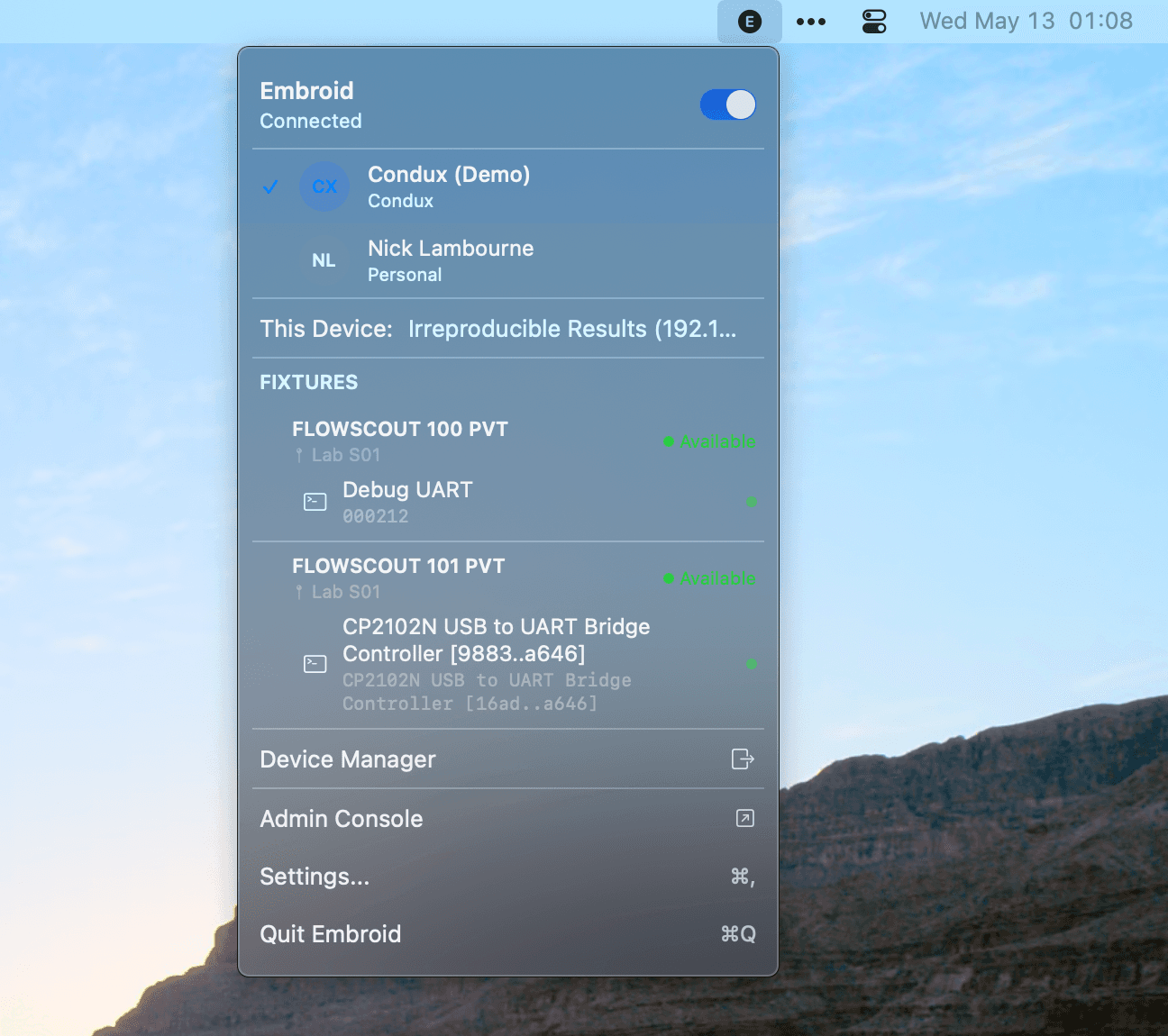
A local daemon and UI for the bench you already have.
Embroid Client installs a local daemon and a local web UI on your workstation. The daemon discovers connected USB devices, serial adapters, debug probes, and vendor flashing tools, then exposes the same control verbs through the UI, CLI, REST API, and a local MCP server for AI coding agents.
- Signed installers for macOS, Windows, and Ubuntu-class Linux.
- Core local workflows run without an account, without internet, and without sending logs to Embroid.
- Opt in to cloud sync when you want remote relay, richer history, or team features, not required.
Everything you need to run real hardware workflows
Install locally
Signed installers for macOS, Windows, and Ubuntu-class Linux. Works on the workstation you already use.
Discover devices
Find connected boards, serial adapters, USB devices, and supported debug tools, without editing config files.
Run hardware workflows
Flash, reset, stream serial, run local sequences, assert behavior, and export logs from a single surface.
Connect agents safely
Expose local MCP tools to AI coding agents with scoped permissions, no uncontrolled device access.
Keep data local by default
Logs, scripts, device metadata, and session records stay on the host unless you opt into sync.
Upgrade when the bench needs to stay online
Move to Basic when laptop sleep, fragile USB, or unattended jobs become a problem.
Flash, capture logs, and replay a session.
Everything runs against the local daemon, same verbs whether you're in the UI, a terminal, CI, or an agent tool.
- 01List connected devices and pick the target board.
- 02Take a short lease so no other tool grabs it mid-run.
- 03Flash the firmware artifact you just built.
- 04Tail serial output and assert against a boot marker.
- 05Export the session record as reproducible evidence.
$ embroid devices list
$ embroid lease create nrf52-04 --duration 10m
$ embroid flash nrf52-04 ./build/firmware.bin
$ embroid serial tail nrf52-04 --assert "boot_ok=1"
$ embroid sessions export last --out ./evidence/run-42.json
Client is the fastest start, not a replacement for hardware.
Client uses the hardware your bench already has. It doesn't add reliability you don't already have.
- Client does not turn your laptop into an always-on lab node, when the workstation sleeps or reboots, the bench goes offline.
- Client cannot power-cycle hardware unless your existing setup already supports it via a switched hub, relay, or DC supply.
- Client does not solve multi-user lab access on its own, one workstation means one operator at a time.
When to upgrade to Basic.
Basic takes the laptop out of the bench and makes the devices available whether or not anyone is at the desk.
- The bench needs to stay online overnight, over weekends, or when the operator's laptop closes.
- Remote team members need to reserve and drive the bench without shipping hardware around.
- Multiple operators need predictable, conflict-free access to the same devices.
- You want a dedicated power switch, USB switch, and low-voltage trigger instead of ad-hoc adapters.
Who Embroid Client is designed for
- Individual developers
- Existing benches
- Local AI-assisted workflows
- Evaluation before hardware purchase
Ready to try Embroid Client?
Install Embroid on macOS, Windows, or Linux to discover devices, flash firmware, stream serial logs, run local sequences, and expose a local MCP, CLI, and REST interface without buying new hardware.