Reach every board on your bench from anywhere.
Flash, reset, test, and capture logs over scoped, audited access — from your laptop or your CI. Keep hardware working through the night, and give AI coding tools the same fenced-in access when you want it.
Scoped access · Local control · Audit logs · No raw lab access
Claude Code, Cursor, Codex, or your CI of choice.
A local daemon, or an always-on node beside the bench.
Devices on your bench, in your lab, or in the field.
When someone's developing
An agent or engineer holds a short lease and drives the bench end-to-end.
- →Develop on real hardware
- →Iterate against real signals
- →Ship with proof attached
When nobody's developing
The same hardware fills idle hours with scheduled, triggered, and on-call work.
- ↻Validate on a schedule
- ↻Build device-hours
- ↻Stay reachable for triage
Hardware doesn't clock off when you do.
Scoped access · Local control · Audit logs · No raw lab access
Built for teams that work with real devices.
Firmware teams
Turn manual flash, reset, serial, and validation steps into repeatable workflows your whole team can rerun.
Validation teams
Run device checks across shared benches, lab hubs, and release candidates without reserving a laptop.
Platform teams
Expose safe hardware control through APIs, CI pipelines, local tools, and agent workflows.
Support and field teams
Capture reproducible evidence from factory and field failures before the context is lost.
Start on your desk. Scale to your lab.
Embroid gives every team a practical entry point: a software client for existing benches, a dedicated Basic node for always-on access, and a Pro hub for advanced lab automation.
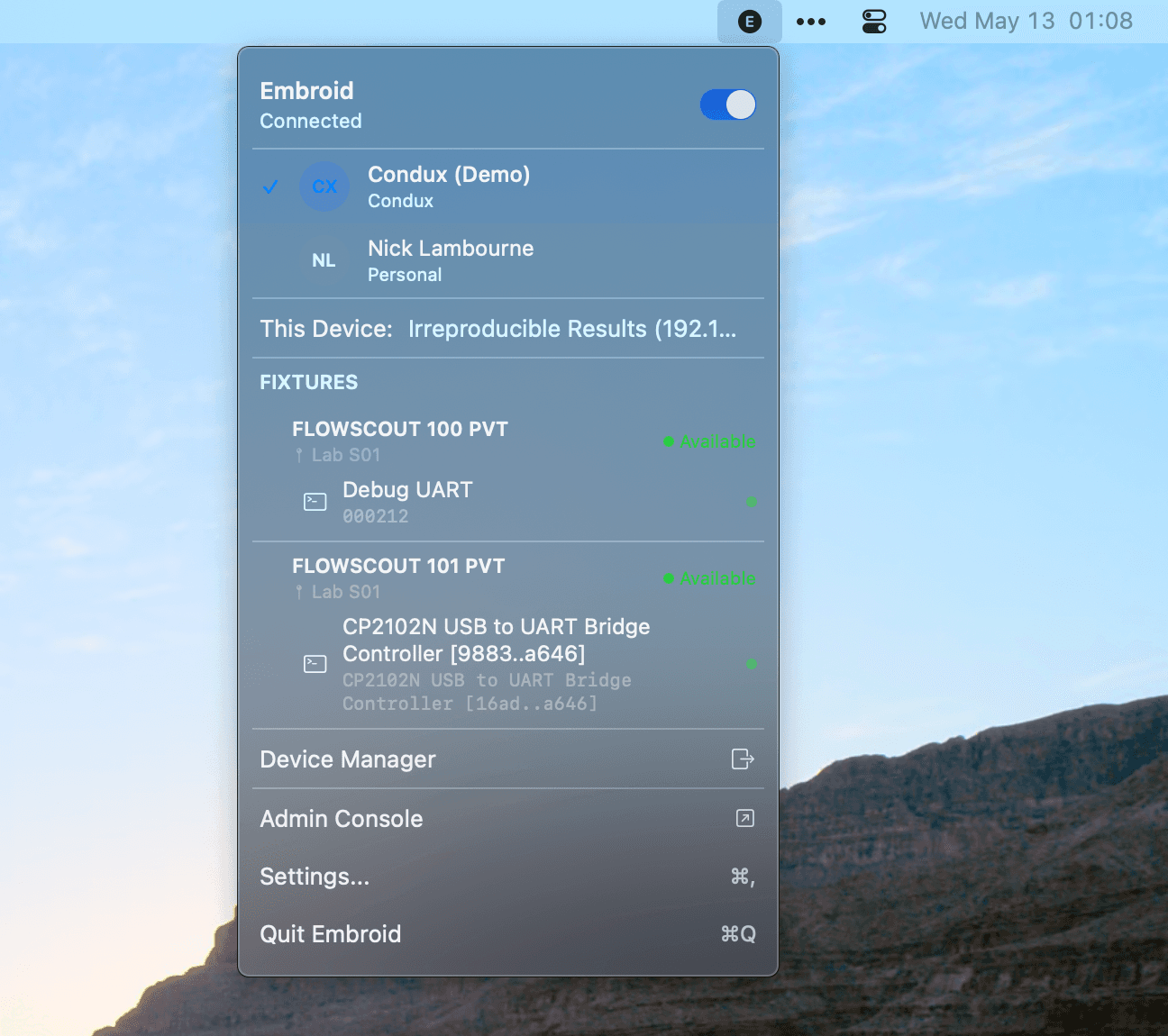
Embroid Client
Software bridge for your existing bench.
Install Embroid on macOS, Windows, or Linux to discover devices, flash firmware, stream serial logs, run local sequences, and expose a local MCP, CLI, and REST interface without buying new hardware.
- Local web UI
- Local MCP server
- CLI
- REST API
- Device discovery
- Serial capture
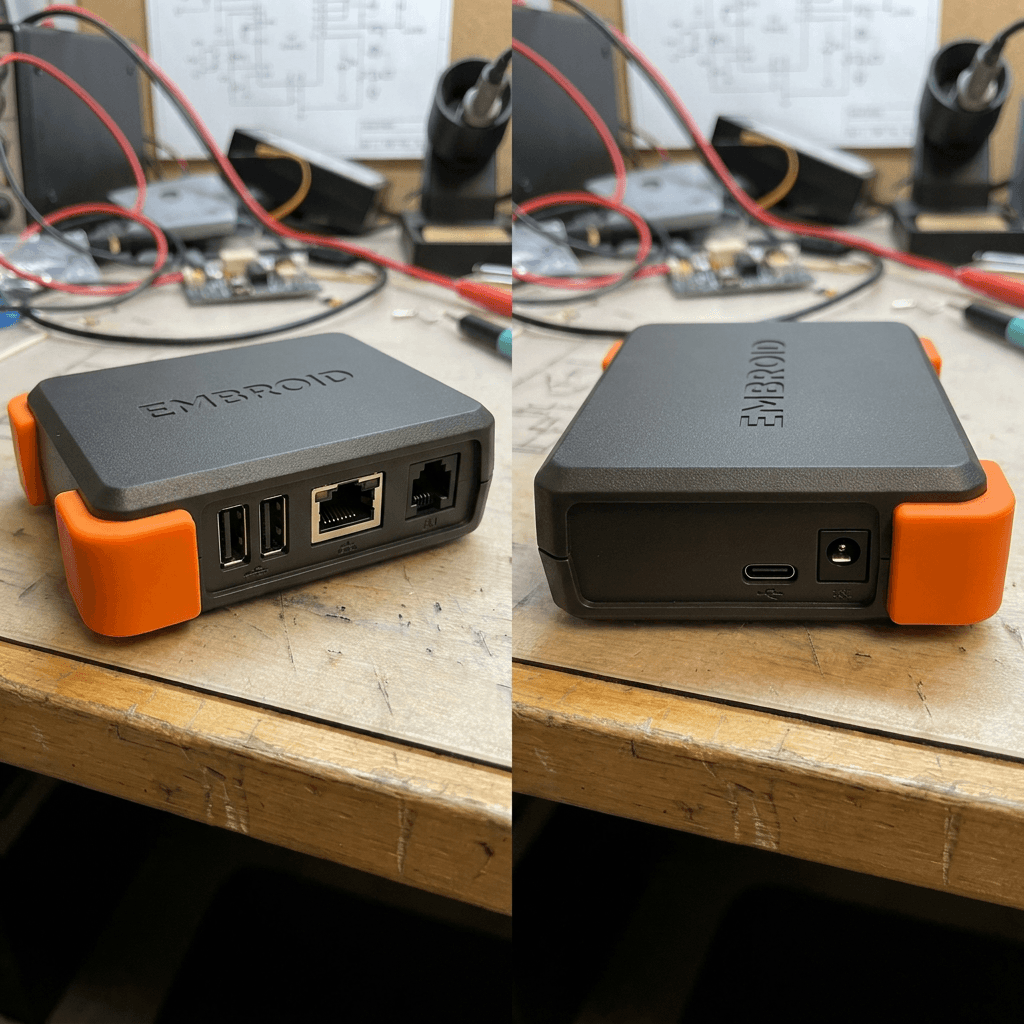
Embroid Basic
Reliable access for one bench or small team.
A compact hardware node with switched USB, power control, serial capture, GPIO triggers, local control surfaces, and optional cloud coordination, so your bench stays available even when your laptop is closed.
- 2 downstream USB-C ports
- USB passthrough mode
- Independently switched power
- Low-voltage trigger output
- 3–4 GPIO lines
- 2 UART channels
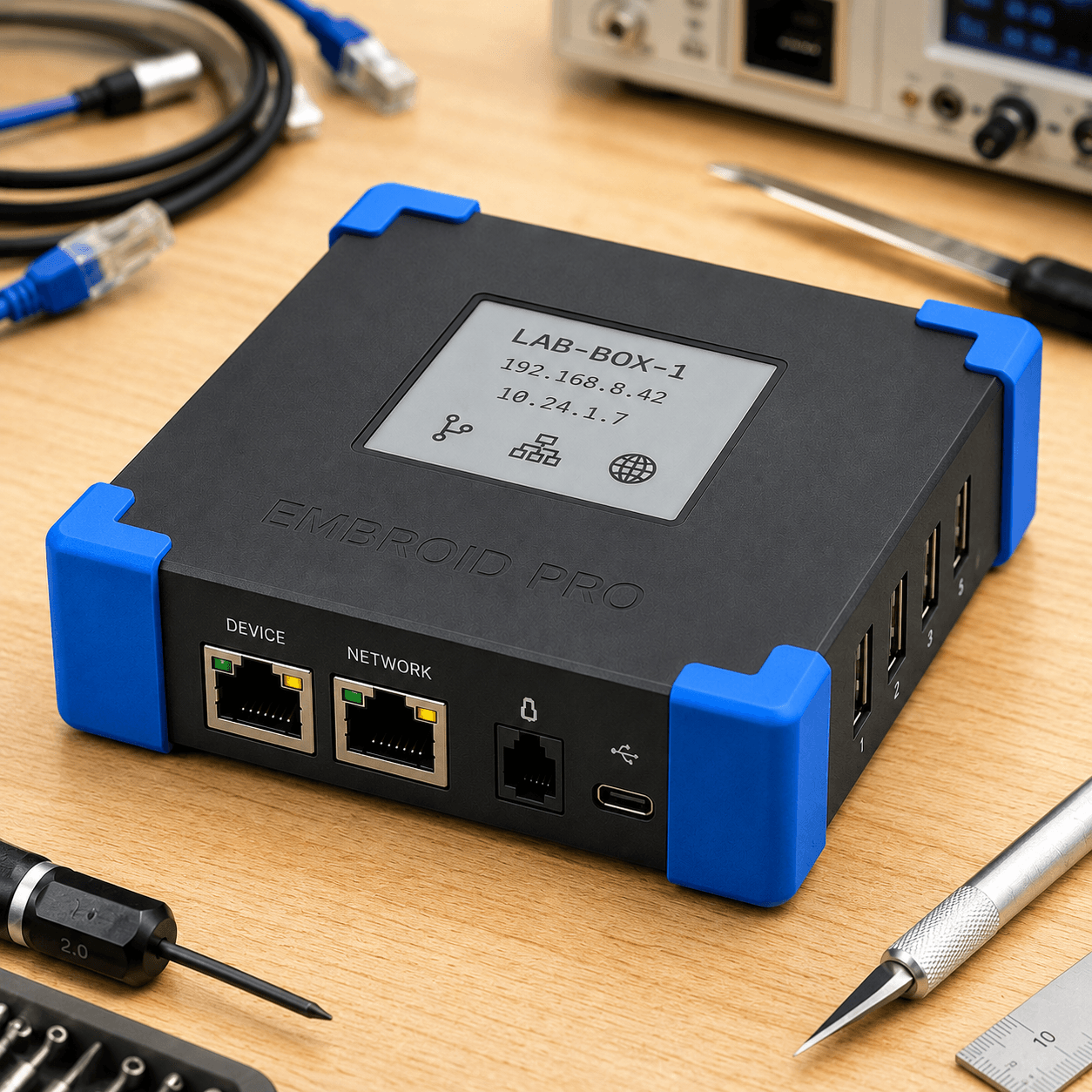
Embroid Pro
Advanced workflows for shared labs and validation teams.
A premium local-first automation hub with more ports, richer debug interfaces, scheduling, observability, accessory expansion, and team-ready automation for serious benches and validation labs.
- 4 downstream USB-C data ports
- USB passthrough mode
- Switchable USB-C power output
- Barrel-jack DC switching
- 8 GPIO / trigger lines
- 4 UART / debug channels
One workflow from local bench to release evidence.
Embroid connects the full hardware development loop: local device control, shared access, automated jobs, CI validation, team review, and release evidence.
- 01Connect
Attach boards, probes, serial adapters, fixtures, or downstream devices through Client, Basic, or Pro.
- 02Authorize
Hand out scoped, time-boxed leases to people, CI, and agents: access to a device, not keys to the lab. Reserve and share hardware across the team without conflicting access.
- 03Control
Flash firmware, reset hardware, switch power, capture serial, toggle GPIO, and run scripted sequences.
- 04Automate
Schedule local jobs, run CI hardware tests, queue validation workflows, and trigger runs from APIs or agents.
- 05Observe
Capture logs, events, power state, firmware metadata, job output, and failure artifacts.
- 06Prove
Export validation records for release gates, compliance reviews, customer support, and regression history.
Complete hardware visibility and control on one platform.
Embroid uses data and control from physical devices to make embedded workflows observable, automatable, and auditable.
Device Control
Flash firmware, reset devices, switch USB, control power, read serial, and trigger GPIO.
Workflow Automation
Run repeatable sequences, job queues, retries, assertions, and CI workflows.
Observability
Capture serial logs, device events, power states, crash output, debug traces, and session history.
Evidence
Preserve firmware metadata, timestamps, logs, operators, tool versions, and pass/fail results.
Security
Local-first control, scoped permissions, device leases, audit logs, and recovery workflows.
Integrations
MCP, CLI, REST API, GitHub Actions, GitLab CI, OpenOCD, pyOCD, esptool, dfu-util, and vendor tools.
Solutions for every hardware workflow.
Remote Hardware Access
Reach boards and fixtures from anywhere without shipping hardware or screen-sharing benches.
Firmware Bring-Up
Turn flashing, reset, serial capture, and setup steps into repeatable workflows.
CI Hardware Testing
Run real-device validation on pull requests, nightly builds, and releases.
Shared Lab Management
Reserve scarce hardware, prevent conflicting access, and preserve audit trails.
Agent-Assisted Firmware
Give AI coding tools safe, scoped access to hardware feedback through MCP and APIs.
Factory & Field Triage
Inspect failures where they happen and preserve reproducible evidence.
Compliance Evidence
Capture device-level records that support release reviews and regulated workflows.
Use software where you can. Add hardware where you need reliability.
Start with Embroid Client. Add Basic when your bench needs to stay online. Move to Pro when the lab becomes shared infrastructure.
| Need | Embroid Client Software-only | Embroid Basic Always-on node | Embroid Pro Lab automation |
|---|---|---|---|
| Existing local bench | Best | Good | Good |
| No new hardware | Best | No | No |
| Always-on access | Limited by host | Best | Best |
| Power control | Host-dependent | Yes | Advanced |
| USB switching | Host-dependent | Yes | Advanced |
| Serial capture | Yes | Yes | Multiple channels |
| GPIO triggers | Host-dependent | Yes | More lines / accessories |
| CI jobs | Local host only | Yes | Best |
| Shared lab | Limited | Small team | Best |
| Multi-device orchestration | Limited | Basic | Best |
| Local-first operation | Yes | Yes | Yes |
| Cloud collaboration | Optional | Optional | Optional |
Fits into the tools embedded teams already use.
Reach Embroid from agents, terminals, CI systems, local tools, and custom infrastructure.
MCP
Expose safe hardware tools to AI coding agents.
CLI
Script device workflows locally or in CI.
REST API
Build custom dashboards, schedulers, and lab workflows.
GitHub Actions
Run hardware checks before merge.
GitLab CI
Add device validation to existing pipelines.
Vendor toolchains
Coordinate OpenOCD, pyOCD, esptool, dfu-util, and selected vendor CLIs.
Get from first device to full rollout.
Embroid helps teams connect first devices, design lab workflows, integrate CI, configure agent access, and build evidence flows around real hardware.
Local-first control. Cloud collaboration when you want it.
Embroid products remain useful locally. The cloud adds team coordination, history, remote access, and fleet-level visibility, but core device control stays on the device.
Local control surfaces
Client, Basic, and Pro expose local UI, CLI, MCP, and REST interfaces.
Optional connected mode
Sync selected records, enable remote coordination, and manage team access.
Audit trails
Capture who or what acted, when, against which device, using which firmware or workflow.
Recovery paths
Export local configuration, logs, jobs, and recovery materials where supported.
Bring your hardware workflows online.
Start with Embroid Client on your existing bench, add Basic for always-on access, or use Pro to coordinate shared labs and validation workflows.